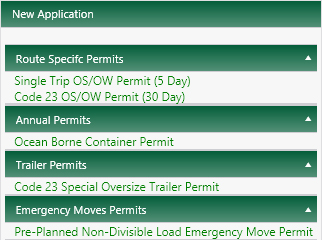
After you sign in on the Home page, the Application page opens and presents you with two choices. You can create a new, blank application or you can open an existing application/permit from which to copy information into a new application, continue to fill out an application, or simply look over an application/permit.
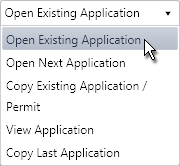
On the Application page, expand the existing application drop-down and choose from the available options.
Choose the Open Existing Application option if you have already started an application and intend to continue filling it out.
Choose the Open Next Application option to resume work on the next application in your queue.
Choose the Copy Existing Application/Permit option if you need a new application but wish to borrow information that you've already entered.
Choose the View Application option if you wish to look over the information entered on an application but do not intend to make changes to the application.
Choose the Copy Last Application option if you wish to borrow information that you've already entered in the most recently accessed application.
Expand the Search By drop-down.
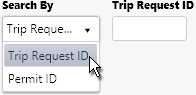
If you have the ID number, choose the Trip Request ID option then enter it in the adjacent field.
If you know the permit number, choose the Permit No option then enter it in the adjacent field.
Click the Submit button, and the desired application/permit will open. Proceed to the Open Application page for more information.

If you are creating an application and do not wish to re-use information from an existing application or permit, then you will choose from the Single Trip or Extended Permit options.
When you click the link to the desired permit type, the first page of the application opens.